
An Overview of Color Quantization

TL;DR
- This article covers the essential mechanics of color quantization, explaining how reducing color palettes impacts image quality and file size. We look at everything from basic uniform methods to advanced ai-driven techniques used in modern photo editing and background removal tools. Photographers will gain insights into balancing visual fidelity with processing efficiency for high-resolution upscaling and restoration projects.
Understanding the basics of Color Quantization
Ever wonder why a 24-bit raw file looks incredible on your workstation but sometimes turns into a banded, blocky mess when you export it for a specific web gallery or an old-school display? It's usually not a "bad export" setting—it's just color quantization doing its thing, for better or worse.
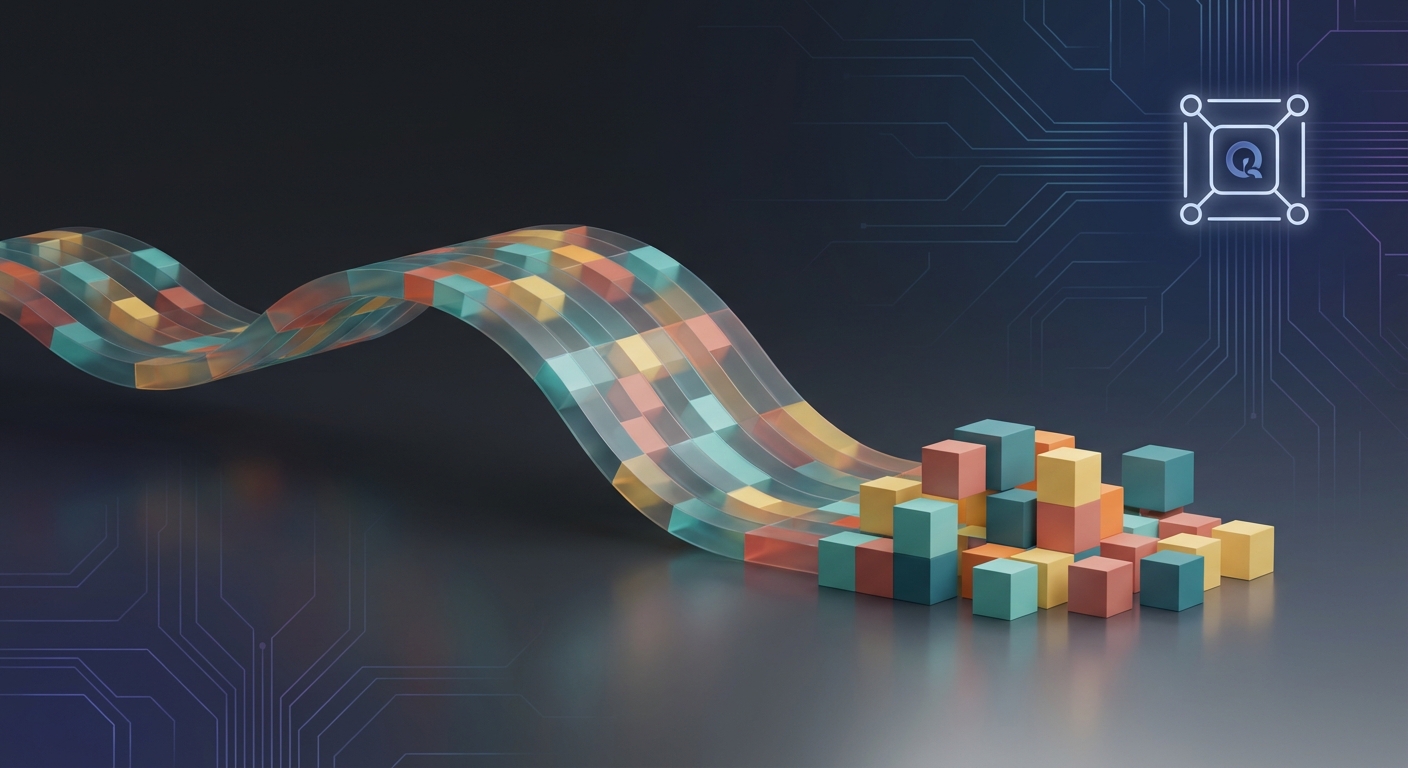
At its core, color quantization (or cq if you're lazy like me) is just the process of taking an image with millions of colors and squashing it down into a smaller "palette" of representative colors. Think of it like taking a massive box of 16 million crayons and trying to redraw the same picture using only 256 of them.
- The Goal: You want the final result to look as close to the original as possible, even though you've cut the data significantly.
- True-color vs. Palletized: A standard "true-color" image uses 24 bits (8 bits each for Red, Green, and Blue), allowing for about 16.7 million variations. A "palletized" or "color-mapped" image uses an index—like a look-up table—where each pixel just stores a number pointing to a specific color in that small palette.
- Memory and Bit-cutting: For pros working with high-res assets, this is all about optimization. According to Forty years of color quantization: a modern, algorithmic survey, reducing a 24-bit image to an 8-bit palette gives you a 3:1 compression ratio immediately.
Diagram 1: The workflow from 24-bit RGB to an 8-bit indexed palette.

The funny thing is, our eyes are actually pretty easy to fool. While some estimates say we can distinguish up to 10 million colors, more recent research mentioned in the Celebi (2023) survey suggests the range of "perceptually distinguishable" colors is closer to 1.7 to 2.5 million.
"A typical natural image usually contains far fewer than 2,000,000 distinct colors... colors in such images are nonuniformly distributed within the RGB space."
Because colors in nature aren't spread out evenly, we can get away with tiny palettes. But if you push it too far, you get false contours. You've seen this in photos of clear blue skies where the smooth gradient turns into ugly, hard-edged bands. This happens because the ai or algorithm ran out of "in-between" shades to represent the transition.
To fix this, we use dithering. It’s basically a trick where the software scatters different colored pixels near each other to create the illusion of a third color. One common way is "error diffusion" (like the Floyd-Steinberg algorithm). Basically, when the software picks a palette color that isn't quite right for a pixel, it takes that "error" (the difference in color) and pushes it onto the neighboring pixels. It adds a bit of noise, sure, but it stops those distracting bands from ruining a portrait's skin tones.
In ecommerce photography, cq is used to keep page load times fast without making the product look "cheap" due to color loss. In healthcare, specifically dermatology, researchers use these tools to simplify images of skin lesions to make it easier for ai models to identify specific features without getting distracted by noise. Even in finance, legacy systems often require 8-bit indexed visuals for charts and UI elements to save on bandwidth across global networks.
So, next time you see a GIF or a heavily optimized web asset, you're looking at a careful balance of math and visual trickery. Up next, we'll dive into the two-step process of palette generation and mapping.
The two big steps in the Quantization process
So, you've got your high-res image and you need to slim it down without it looking like a pixelated disaster from 1995. It's actually a two-step dance: first, you gotta build a killer color palette, and then you have to figure out which original pixels get assigned to those new colors.
If you mess up the first part, the second part won't save you, no matter how good the math is. Here is the breakdown of how the pros (and the algorithms) actually handle this mess.
The first big hurdle is picking which colors actually make the cut. You're basically choosing a tiny "representative" group to speak for millions of other colors. There are two main ways to go about this: image-independent and image-dependent palettes.
- Universal (Image-Independent) Palettes: These are "one size fits all" solutions, like the old-school web-safe colors. As noted in Microsoft's technical guide on color imaging, these often use uniform quantization, where you just divide the RGB cube into equal slices. It's fast, but it usually looks pretty mediocre on natural photos because it ignores where the actual color density is.
- Adaptive (Image-Dependent) Palettes: This is where the magic happens. The algorithm analyzes your specific photo to see which colors are actually being used. If you're shooting a forest, it’ll dedicate most of the palette to shades of green and brown, rather than wasting space on neon pinks.
- Smart AI Selection: Modern tools have taken this a step further. For instance, the background removal tech at snapcorn uses ai to pick palettes that specifically prioritize the edges of a subject. This ensures that when the background is stripped, the remaining "cutout" doesn't have weird color bleeding or jagged, mismatched edges.
Once you have your 256 (or however many) colors, you have to go back to the original image and tell every single pixel: "Hey, you're not 'Midnight Blue' anymore; you're now 'Index #42'." This is called Pixel Mapping.
The most "accurate" way to do this is the L2 distance (Euclidean distance). You basically treat colors as points in a 3D space and find the one in your palette that is physically closest to the original pixel.
Diagram 2: Mapping original pixels to the nearest color in the new palette.

The problem? Doing this for every single pixel in a 20-megapixel photo is slow as hell. If you have 256 colors in your palette, that’s 256 distance calculations per pixel. For a big image, we're talking billions of calculations.
To keep things from crawling, engineers use a few "cheats" that are perceptually indistinguishable from the slow way. One common trick is Partial Distance Elimination. If you're halfway through calculating the distance to a color and it's already "further" than the best one you've found so far, you just stop and move to the next one.
Another pro move is using Spatial Data Structures like K-D trees or Octrees. Instead of checking every color in the palette, the software organizes the palette into a "map." It can then quickly rule out huge chunks of colors that aren't even in the right ballpark.
According to the Celebi (2023) survey, using these accelerated structures can cut processing time by over 80% compared to a "brute force" exhaustive search.
In e-commerce, this is huge for "hover-to-zoom" features. You need a small file size for the initial page load, but the colors have to stay true to the product. If a leather boot looks "banded" or the wrong shade of tan due to bad quantization, the customer isn't buying it.
In medical imaging, particularly in tele-dermatology, quantization is used to simplify the color data of skin lesions. By reducing the noise but keeping the "representative" pathology colors, ai models can more accurately segment different types of tissue without getting bogged down by irrelevant color variations.
It’s a delicate balance. You want enough colors to look real, but few enough to keep the api calls and load times snappy. Next, we’re gonna look at the specific algorithms—like Median Cut and K-Means—that actually do the "heavy lifting" of picking those colors.
Popular algorithms every pro should know
If you've ever spent a late night squinting at a monitor trying to figure out why your 24-bit gradient looks like a staircase, you've met the limitations of early math. It's not just about "picking colors"—it's about how we slice up 3D space to trick the human eye.
Back in 1980, Paul Heckbert changed the game with the median-cut algorithm. It's basically the "granddaddy" of cq and, honestly, it's still surprisingly common in basic image processing libraries because it's so easy to wrap your head around.
The logic is pretty straightforward: you take all the colors in your image and plot them in an RGB cube. You find the color axis (Red, Green, or Blue) with the largest range and you snap it right at the median point. Now you have two boxes. You repeat this until you have 256 boxes (or whatever your target palette size is).
Diagram 3: The recursive splitting of the RGB color space in Median Cut.

The cool thing about median-cut is that it's "image-dependent," meaning it actually looks at what colors you're using. But it has a big flaw: it's a bit of a "size hog." It tends to give too much palette space to large, boring areas (like a big white wall) while ignoring tiny, high-contrast details that actually matter to our eyes.
According to the comprehensive technical guide on Color Quantization Techniques, while median-cut is fast, it often fails on "natural" photos where color distributions are super uneven. It’s great for high-speed stuff, but if you're doing high-end product photography, you'll probably notice some "muddy" transitions in the shadows.
If median-cut is the blunt instrument, k-means (and specifically batch k-means or bkm) is the surgical scalpel. Instead of just cutting boxes, k-means treats colors like "clusters." You start with some random points (centroids) and the pixels "gravitate" to the nearest one.
Then—and this is the clever part—the algorithm moves the centroid to the actual average of all the pixels that chose it. You keep doing this until the points stop moving. It’s an iterative process, which makes it way more precise than the "one-shot" boxes of median-cut.
- The Big Win: It minimizes the Sum of Squared Errors (sse). This means, mathematically, it's finding the "best" representative colors to reduce overall distortion.
- The Catch: It’s slow as hell if you don't optimize it. As mentioned earlier in the Celebi (2023) survey, researchers have spent decades trying to speed this up because "brute force" k-means on a 4K image would make your workstation fans sound like a jet engine.
- Local Minima: Sometimes the algorithm gets "stuck." If it starts in the wrong place, it might miss a whole section of colors. That's why pros often use a "hybrid" approach—use median-cut to pick the starting points, then let k-means polish them.
In finance, specifically when generating complex heatmaps or data visualizations for legacy terminals, k-means is used to ensure that the most "important" data clusters stay distinct. If you've got a 256-color limit on a Bloomberg terminal, you can't afford for your "critical risk" red to blend into your "moderate risk" orange.
Now we're getting into the "smart" stuff. Modern tools often use Self-Organizing Maps (som) or "neural gas" algorithms. This is essentially a simplified ai approach. Instead of just hard clusters, it uses a "soft competitive" model where colors "learn" from their neighbors.
When a pixel finds its closest color in the palette, it doesn't just update that one color. It also slightly pulls the "neighboring" colors in the palette toward that pixel. This creates a much smoother transition, which is why it's a favorite for ai image upscaling technology.
def update_palette(winner_color, pixel_data, learning_rate):
    # 'learning_rate' dictates how much the palette shifts toward the pixel.
    # In a real SOM, this logic would also apply to a 'neighborhood' of
    # surrounding nodes in the palette grid to keep colors related.
    new_r = winner_color.r + learning_rate * (pixel_data.r - winner_color.r)
    new_g = winner_color.g + learning_rate * (pixel_data.g - winner_color.g)
    new_b = winner_color.b + learning_rate * (pixel_data.b - winner_color.b)
    return Color(new_r, new_g, new_b)
One of the biggest breakthroughs here is Fuzzy C-Means (fcm). In standard k-means, a pixel belongs to one color. Period. In fcm, a pixel can have "partial membership" in multiple colors. This is huge for medical restoration of old x-rays or dermatological scans where the "edges" of a feature aren't clear-cut.
A 2022 study by Abernathy and Celebi (as cited in the survey) found that "incremental" online k-means (iokm) can actually be faster and more effective than traditional batch methods by splitting centers as it goes.
In retail and luxury e-commerce, this tech is used to ensure that a silk dress's sheen looks "liquid" rather than like a series of plastic bands. By using ai-driven quantization, the software can prioritize the "specular highlights" (the shiny bits) which our eyes use to judge quality.
We gotta talk about the "bias" in these algorithms too. If an ai model is trained mostly on a certain type of image—say, bright outdoor landscapes—its quantization logic might struggle with low-light portraits or diverse skin tones.
If the palette-picking logic is biased toward "high-frequency" data, it might accidentally "smooth out" important textures in medical or forensic imaging. It’s not just about making a pretty picture; it’s about data integrity.
Anyway, the goal for any pro is optimization. You want the smallest file size (for that sweet, sweet api performance) without making the image look like garbage. Most modern apis for image processing actually let you choose between these—"Fast" usually means median-cut, while "High Quality" is likely a k-means or som variant.
Next, we're going to dive into how these algorithms actually "see" color—specifically looking at why the standard RGB space is actually a pretty terrible way to measure how humans perceive color.
Color Spaces and measuring the quality
So, we’ve spent a lot of time talking about how to chop up the RGB cube, but honestly? RGB is kind of a disaster for actually measuring how a human feels about an image. Just because two colors are "mathematically" close in RGB doesn't mean they look similar to you or me.
The biggest problem with RGB is that it's not "perceptually uniform." If you change the Green value by 5 units, it looks way more dramatic to the human eye than changing the Blue value by the same amount. This is why your quantization might look great in the shadows but absolutely fall apart in the highlights.
To fix this, pros often jump into the cielab color space. It was designed specifically so that the geometric distance between two points actually matches how different we perceive those colors to be. In lab, "L" is your lightness, and "a" and "b" are your color dimensions.
- Perceptual Uniformity: In cielab, a distance of 1.0 (known as Delta E) is roughly the "Just Noticeable Difference" for a human.
- Luminance Decoupling: By separating brightness (L) from color (a, b), you can quantize the color data more aggressively without ruining the structural details of the photo.
- ycbcr for Video/Web: If you're working on web optimization or video apis, you’ll see ycbcr a lot. It’s great because it isolates the "Luma" (Y), allowing you to compress the "Chroma" (Cb/Cr) heavily since our eyes are less sensitive to color resolution than brightness.
Diagram 4: Comparing the non-uniform RGB cube with the perceptual CIELAB space.

Once the ai has finished squashing your colors, how do you know if it did a good job? You can't just "vibes check" every single asset in a 10,000-image catalog. We need metrics that actually mean something.
The old-school way is psnr (Peak Signal-to-Noise Ratio), but it’s pretty blunt. It just looks at the raw error between pixels. A much better technical standard is ssim (Structural Similarity Index). Instead of just looking at pixel differences, ssim looks at patterns, contrast, and structure—basically, it tries to "see" like a human.
According to the previously mentioned Celebi (2023) survey, while mse and psnr are easy to calculate, they often fail to predict human preference. Interestingly, ssim can sometimes be derived as a function of psnr, making them highly correlated in many real-world benchmarks.
I've seen plenty of e-commerce devs get frustrated when their automated pipelines produce "muddy" product shots. Usually, it's because the api is using a standard RGB-based Euclidean distance. By switching the quantization logic to use ciede2000 (a more advanced version of the Delta E formula), you often get much cleaner skin tones and fabric textures.
def get_dist_rgb(c1, c2):
    # This treats R, G, and B as equal, which they aren't to our eyes!
    return ((c1.r - c2.r)**2 + (c1.g - c2.g)**2 + (c1.b - c2.b)**2)**0.5

def get_dist_perceptual(c1, c2):
    # NOTE: This is just a 'weighted RGB' approximation.
    # A true perceptual approach requires a non-linear transformation
    # into CIELAB space before calculating the distance.
    return (0.3(c1.r - c2.r)**2 + 0.59(c1.g - c2.g)2 + 0.11*(c1.b - c2.b)2)**0.5
If you're doing restoration on old photos, the error image is your best friend. It’s basically the "delta" between the original and the quantized version. If the error image shows clear outlines of your subject, you’ve quantized too hard and lost structural data. If it looks like random grey noise, you’re in the sweet spot.
Next up, we’re gonna wrap this all together and look at the actual future of this stuff—including how neural networks are starting to make these manual algorithms look like ancient history.
Applications in todays photography workflow
In the world of high-volume retail, speed is literally money. If a page takes more than a couple seconds to load, people bounce, so we use cq to trim the fat off image assets. But here is the kicker: if you're selling a "Desert Sand" leather boot and the quantization turns it into a flat, yellowish blob, that's a returned item waiting to happen.
- Speed vs. Fidelity: By using adaptive palettes, we can hit that 3:1 compression ratio mentioned earlier without losing the "soul" of the photo.
- Color Accuracy: Modern apis for e-commerce often use CIELAB-based distance metrics rather than raw RGB to ensure the most "perceptually important" colors—like brand-specific reds or skin tones—stay intact.
- Automation at Scale: When you’re processing 5,000 SKUs a day, you can't manually tweak every export; you need a workflow that handles bit-cutting and dithering automatically.
As noted by Yao Wang (2006), "out of gamut" colors in printing or display are often replaced by the nearest color in the target gamut, which is basically quantization in a different hat. For a pro photographer, understanding this means you can "pre-quantize" your work to make sure the final web version looks exactly how you intended.
Diagram 5: The impact of quantization on product color accuracy and page load speed.

When we're dealing with vintage photo restoration or high-ISO "noisy" shots, cq actually becomes a bit of a secret weapon. It’s not just about shrinking files; it's about simplifying the data so that ai models can do their job better.
In photo colorization, ai models often use a simplified color palette to "guess" where colors should go on a grayscale original. By quantizing the training data, the model doesn't get distracted by millions of tiny color variations and instead focuses on the broad strokes of "Skin," "Sky," or "Grass."
- Noise Reduction: High-ISO shots are full of "chroma noise" (those ugly purple and green specks). Quantizing the image into a smaller, smarter palette can effectively "snap" those noisy pixels back to the color they were supposed to be.
- Digital Art Processing: Many "retro" or "lo-fi" aesthetics in modern photography are just intentional uses of 8-bit or 4-bit palettes.
- Legacy Compatibility: Even in 2024, some medical and industrial displays only support 256 colors, so restoration work often involves "down-sampling" high-end scans to fit these systems.
I’ve seen plenty of photographers get frustrated when their "clean" studio backgrounds look noisy after an upload. Usually, it's because the site's automated processing is using a "Universal Palette" (like the old web-safe colors) instead of an "Adaptive" one.
If you’re running your own server, here’s a tiny Python snippet using a common library (Pillow) to show how you might force an adaptive palette with dithering to keep those gradients smooth:
from PIL import Image

img = Image.open("product_shot_24bit.jpg")
quantized_img = img.convert("P", palette=Image.ADAPTIVE, colors=256)
quantized_img.save("web_optimized_8bit.png", optimize=True)
Honestly, the future of this stuff is moving toward Differentiable Quantization, where neural networks (like the "GIFnets" mentioned in the 2023 Celebi survey) learn exactly how to squash an image so that the human eye can't even tell. It’s a wild mix of high-level math and basic "trickery," but for anyone working with digital visuals, it is the difference between a professional finish and a pixelated mess. Stay curious, keep testing your exports, and don't let the algorithms win.
References
- Celebi, M. E. (2023). Forty years of color quantization: a modern, algorithmic survey. Artificial Intelligence Review.
- Abernathy, J., & Celebi, M. E. (2022). Competitive learning-based color quantization. Applied Soft Computing.
- Wang, Y., Ostermann, J., & Zhang, Y. Q. (2006). Video Processing and Communications. Prentice Hall.



