
Restoring Military Photos: Honor Family History With Clarity

TL;DR
- This article covers the technical and emotional process of fixing old military portraits using modern digital tools. You will learn about repairing physical damage, using ai for colorization, and sharpening blurry details to preserve veteran legacies. It provides a roadmap for photographers to handle these sensitive historical assets with professional care and high-end tech.
The Importance of Military Photo Preservation
Ever found an old photo of your grandfather in his uniform and felt that weird, heavy pull of history? It’s more than just paper; it is a literal anchor to a life that paved the way for yours.
Military photos are notoriously fragile because of the era they were printed in. Between the humidity in basements and the way cheap ink from the 40s reacts to light, we are basically racing against time. It isn't just about "fixing" a picture—it's about keeping a legacy from dissolving into gray dust.
- Visual Ancestry: Seeing a relative’s face in high definition makes them a person, not just a name on a family tree. It bridges that gap between "soldier" and "family."
- Material Decay: Silver gelatin prints and early color photos suffer from chemical breakdown. According to the National Archives, the biggest threats to physical records are actually high humidity and fluctuating temperatures, which accelerate the chemical rot.
- Historical Context: These photos often capture details—unit patches, specific gear, or theater of operations—that help historians and families piece together stories that were never written down. If a patch is too blurry to read, you can usually verify the insignia by checking specialized databases like the U.S. Army Center of Military History or various veteran archives online.

I've seen people get emotional just seeing the color of a great-uncle's division patch for the first time. It’s a transformation that goes beyond technical skill; it's a form of digital archeology.
But before we can start clicking buttons in an app, we gotta understand what we’re actually looking at. Let’s dive into the technical side of identifying these old formats.
Identifying Common Military Formats
Before you restore, you gotta know what you have. Most military collections fall into a few buckets:
- Real Photo Postcards (RPPCs): Super common in WWI and WWII. They have a postcard back but the front is an actual silver gelatin print.
- Cabinet Cards: These are those thick, cardboard-backed photos from the late 1800s. If your ancestor was in the Civil War or Spanish-American War, it’s probably one of these.
- 35mm Slides: Popular in the Vietnam era. They usually have a cardboard or plastic frame and need a backlight to see properly.
- Service Portraits: Usually 8x10 prints on matte paper, often found in those heavy wooden frames.
Technical Challenges in Old Military Images
Ever stared at a photo so long you start seeing things that aren't there? That is usually what happens when I'm trying to figure out if a smudge on a 1940s uniform is a coffee stain or a rare medal.
Restoring these old military prints isn't just about making them look "new" again. It's about fighting the literal chemistry of the past. These photos have been sitting in damp shoeboxes or under harsh attic lights for decades and it shows.
One of the weirdest things you'll see on old black and white prints is this metallic, bluish sheen. It's called silver mirroring. It happens when the silver atoms in the photo paper migrate to the surface. It makes the dark areas of the photo look like a mirror, which is a nightmare for scanners. According to the Image Permanence Institute, this is a common chemical reaction in silver gelatin prints exposed to humidity.
When you scan these, the light bounces off that silver layer and you lose all the texture of the fabric. You end up with a flat, shiny mess instead of a crisp wool jacket.
- Surface Emulsion Loss: The top layer of the paper literally flakes off, leaving white "craters."
- Low-Res Legacy: Sometimes the only copy left is a tiny 200dpi scan someone made in 1998.
- Chemical Fading: Early color photos from the 60s or 70s often turn completely orange or magenta because the cyan dyes were super unstable.

I've spent hours trying to piece together a jawline that was lost to a fold in the paper. It's frustrating but honestly? Seeing that face come back together is a total rush.
But once you handle the damage, you gotta deal with the color—or lack of it. That is where the real "digital archeology" starts.
Using Modern AI to Bring Back the Details
Ever feel like you are trying to talk to someone through a thick fog when you look at a blurry, old photo? That is exactly how it feels when those tiny details—the texture of a wool coat or the glint on a brass button—get lost to time.
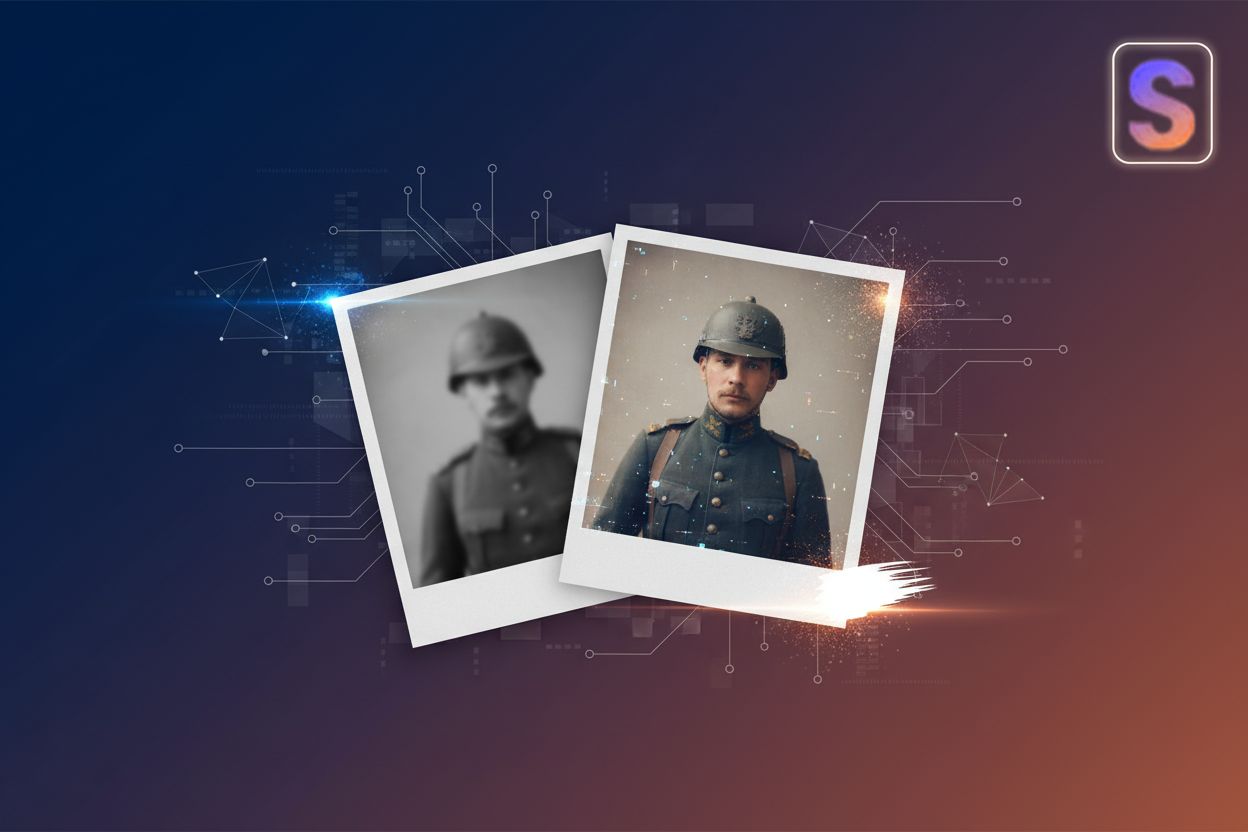
Modern ai has basically turned into a time machine for us designers. It is not just about smoothing things out; it is about reclaiming the soul of the image. Tools like snapcorn are great for this because they handle the heavy lifting—like background cleanup and colorization—that used to take hours in manual retouching.
- The Magic of Color: b&w photos are classic, but adding color makes a person feel "real" again. The ai identifies fabric types, ensuring a navy uniform doesn't accidentally end up looking like a green suit.
- Upscaling for Print: If you want to blow up a wallet-sized photo for a 16x20 frame, you need pixels that aren't there. High-res upscalers add that data back in. Just be careful with the settings—if you crank the "denoise" too high, you'll get that plastic, fake look we talked about earlier. You gotta keep some of the original grain to make it look authentic.

The biggest mistake people make is over-processing. You want to keep the "grain" of the history. A study by the Library of Congress highlights that maintaining the integrity of digital surrogates is key to long-term preservation. It is a fine line between a clean photo and one that looks fake.
Now that we have the pixels back in place, we need to talk about the final touch—making sure those colors actually match the history books.
Step by Step Workflow for Restoration
So you've got the scan on your screen and it looks... okay, but not great. This is where the real magic happens, turning a flat digital file into something that feels like you could reach out and touch the wool of the uniform.
- High-DPI is king: Don't settle for 300dpi. Crank that scanner up to at least 600 or 1200dpi. This gives your software more "meat" to work with when it starts reconstructing faces.
- AI Reconstruction: Use the snapcorn tools to sharpen the features and bring back the "spark" in the eyes. This is also where you use the colorizer to get a base layer of color on the uniform and skin.
- Historical Research: This is the most important part for accuracy. Don't guess the colors! Look up the specific branch of service. For example, WWII "Olive Drab" (OD) changed shades throughout the war—early jackets were more khaki, while later ones were a darker green. If you're doing a Navy uniform, research if it was "Dress Blues" or "Summer Whites."
- The Manual Touch: ai is smart, but it doesn't know what a Purple Heart looks like. You’ll need to go in manually to sharpen the edges of medals or unit insignia. Use your research to paint in the correct ribbon colors for medals.

I usually spend the most time on the eyes and the hands. If those look real, the whole thing works. It’s a bit of a grind, but seeing a family member’s face clear up for the first time in sixty years? That’s why we do this.
Just remember to save your work in a lossless format like TIFF. You don't want all that hard work getting ruined by nasty jpeg compression later on. Now go ahead, grab that old shoebox and start bringing those stories back to life.



